
If you want to learn programming, here’s the first thing you need to know: it’s not about memorizing a bunch of weird computer commands. It’s about learning to think differently. Programming is basically learning how to break down problems into small, logical steps that even the dumbest machine can follow.
And let me tell you, computers are incredibly dumb. They’re fast, sure, but they only do exactly what you tell them. They don’t think. They don’t improvise. They don’t “get what you mean.” They just follow instructions, like a really literal friend who takes everything you say at face value.
In this article, we’re covering the absolute basics you need before writing your first line of code:
- What computer programs actually do
- Why there are different “computer languages”
- How your code turns into something a computer understands
- Different styles of giving computers instructions
- Why computers use weird number systems (spoiler: it’s not to confuse you)
- What bits and bytes actually mean
Some of this might sound technical, but I promise we’ll keep it simple. Let’s start.
What’s a Computer Program Anyway?
Think of a computer program like a recipe. When you bake cookies, you follow step-by-step instructions: “Mix flour and sugar. Add eggs. Stir. Bake at 350°F for 12 minutes.” Each step is clear and specific.
That’s exactly what a computer program is—a recipe for solving a problem. Instead of “add eggs,” you might write “add these two numbers” or “show this message on screen.” The computer follows your recipe exactly, one step at a time.
Here’s the catch: if you mess up the recipe, you don’t get cookies. If you mess up code, your program crashes or does something weird. Computers can’t fix your mistakes for you. They just do what you tell them, even if what you tell them is completely wrong.
So What Is “Code”?
Code is just the language you use to write those instructions. When programmers write code, we call it “source code”—basically, the original recipe we wrote by hand.
But here’s where it gets interesting. Humans can read recipes written in English, Spanish, or Filipino. Computers? They only understand one language: binary. That’s just 0s and 1s. Imagine trying to write an entire recipe using only two symbols. That’s what computers speak.
So we have a problem: we want to write instructions in a language humans can understand (like English-ish words), but computers only understand 0s and 1s. We need a translator.
Why Can’t We Just Use English?
Great question. You’d think we could just type “Computer, multiply 5 times 10” and the computer would understand. But computers don’t speak English. They don’t speak any human language.
Instead, programmers created special languages that are easier for humans to read than pure 0s and 1s, but can still be converted into what computers understand. Think of them as simplified versions of English designed specifically for giving instructions to machines.
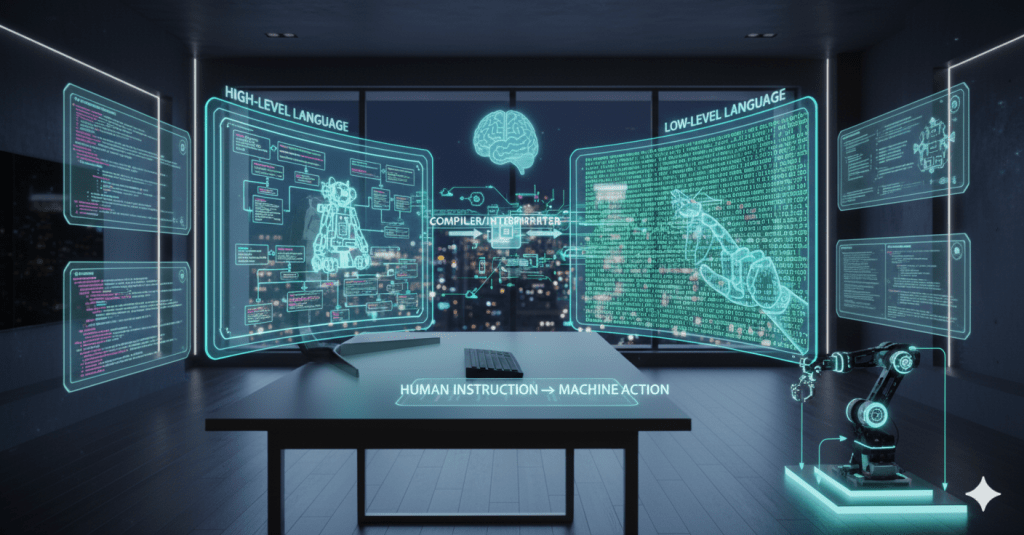
Some of these languages are closer to human language (we call these “high-level” languages), and some are closer to what computers actually speak (we call these “low-level” languages).
Low-Level Languages: Talking Closer to Computer-Speak
Low-level languages are almost pure machine language. They’re really hard for humans to read and write, but computers can run them directly without much translation.
Think of it like this: if you wanted to tell a robot to make a sandwich, a low-level instruction would be: “Move arm 0 to coordinate X:5, Y:10, Z:2. Close gripper mechanism. Rotate arm 90 degrees.” Super specific, super tedious.
Examples of low-level languages:
- Machine language: Pure 0s and 1s. This is what computers actually run.
- Assembly language: Uses short codes like MOV and ADD instead of binary, but still super technical.
You won’t be writing these anytime soon. Almost nobody does unless they’re building operating systems or working on really specialized stuff.
High-Level Languages: Talking Closer to Human-Speak
High-level languages let you write instructions in something that looks almost like English. They need to be translated into machine language before the computer can run them, but they’re way easier for humans to read and write.
Using our sandwich robot example, a high-level instruction would be: “Pick up bread. Put on mayo. Add lettuce.” Much simpler.
Examples of high-level languages:
- Python: Super beginner-friendly, reads almost like English
- JavaScript: Runs in web browsers, makes websites interactive
- Java: Used for Android apps and big business software
- C#: Used for games and Windows applications
If you’re learning to code, you’ll start with one of these. They let you focus on solving problems instead of dealing with all the technical details of how computers work.

Natural Language: The Newest Way to Talk to Computers
Here’s something cool that’s happening right now: computers are starting to understand regular human language.
You’ve probably heard of ChatGPT, right? Or maybe you’ve used Google’s AI or Siri? These are called AI chatbots or AI assistants. The technical term is “Large Language Models” (LLMs), but don’t worry about memorizing that.
Here’s what’s wild about them: you don’t need to learn a programming language to use them. You just type or talk to them in normal English (or whatever language you speak), and they understand you.
How This Works
When you ask ChatGPT something like “Write me a story about a dragon” or “Help me with my math homework,” here’s what happens:
- You type your request in plain English (we call this a “prompt”)
- The AI reads it and figures out what you want
- The AI generates a response in plain English
- You get your answer
Behind the scenes, the AI is doing millions of complex calculations in machine language (0s and 1s), but you never see any of that. You just have a conversation, like texting a really smart friend.
Why This Is a Big Deal
For decades, if you wanted a computer to do something, you had to learn its language—Python, Java, C++, whatever. You had to memorize commands, follow strict rules, and if you made even a tiny typo, your code wouldn’t work.
Now? You can literally type “Hey, can you explain how photosynthesis works?” and get an answer. No special commands. No syntax rules. Just normal conversation.
Think of it this way:
- Old way: You learn to speak the computer’s language
- New way: The computer learned to speak your language
Is This Actually Programming?
Kind of! When you give an AI a prompt, you’re basically giving it instructions—just like programming. The difference is you’re using everyday words instead of code.
Some people are even calling this a new skill: learning how to write good prompts that get the AI to do exactly what you want. The better you are at explaining what you need, the better results you get.
Sound familiar? That’s the same skill traditional programming teaches: being clear and specific about what you want.
What AI Can and Can’t Do
AI chatbots are amazing, but they’re not perfect. Here’s what you should know:
- They can: Answer questions, explain concepts, write stories, help with homework, brainstorm ideas, even write code for you
- They can’t: Run programs on your computer, access your files (unless you upload them), know things that happened after they were last updated, or be correct 100% of the time
Sometimes they make mistakes. Sometimes they misunderstand what you’re asking. They’re really smart, but they’re not perfect.
Do You Still Need to Learn Traditional Programming?
Great question. Here’s the honest answer: it depends on what you want to do.
If you just want to use technology and get stuff done, AI chatbots might be enough. You can ask them to write code for you, explain how things work, or help solve problems.
But if you want to really understand how software works, build your own apps, or have a career in tech, you’ll still benefit from learning traditional programming. AI is a powerful tool, but it’s just that—a tool. Understanding the fundamentals makes you way more capable.
The cool part? AI can actually help you learn programming. You can ask it to explain coding concepts, debug your code, or show you examples. It’s like having a personal tutor available 24/7.

How Does Code Become Machine Language?
So you write your code in Python or JavaScript. The computer only understands 0s and 1s. How does your code turn into something the computer can actually run?
This is where compilers and interpreters come in. They’re translator programs.
Compilers: Translate Everything at Once
A compiler takes your entire code file and translates it all into machine language before running anything. It’s like translating an entire book from English to Japanese before you start reading it.
Example: You write a program in C++. The compiler converts the whole thing into machine code. Now the computer can run it super fast because the translation is already done.
Pros: Programs run really fast once compiled.
Cons: If you change even one line of code, you have to recompile everything.
Interpreters: Translate Line by Line
An interpreter translates your code one line at a time and runs it immediately. It’s like having a translator whisper translations to you as someone speaks.
Example: You write a program in Python. The interpreter reads line 1, translates it, runs it. Then reads line 2, translates it, runs it. And so on.
Pros: You can test changes instantly without waiting.
Cons: Programs run a bit slower because translation happens on the fly.
Which is better? Neither. They’re just different tools for different jobs. Most beginners start with interpreted languages like Python because you can see your code work immediately.
Different Ways to Think About Programming
Here’s something that might seem weird: there are different “styles” or philosophies for writing code. We call these programming paradigms. It’s like how you can cook the same meal using different methods—grilling, baking, frying—and each method follows different rules.
The two main styles are Imperative and Declarative.
Imperative Programming: Giving Step-by-Step Orders
Imperative programming means you tell the computer exactly what to do, step by step, in order. You’re the boss giving detailed instructions.
Think of it like teaching someone to make a sandwich:
- Open the bread bag
- Take out two slices
- Get the peanut butter jar
- Open it
- Get a knife
- Spread peanut butter on one slice
- Place the second slice on top
- Press them together
You’re spelling out every single step. Most beginner-friendly languages use this style because it matches how humans naturally think about solving problems.
Examples: C, Java, Python, JavaScript
Declarative Programming: Describing What You Want
Declarative programming means you describe what result you want, and the computer figures out how to make it happen. You’re stating goals instead of giving orders.
Using the sandwich example, you’d just say: “I want two slices of bread pressed together with a thick, nutty, and slightly sticky layer of peanut butter in between.” Then the computer (or a smart chef) figures out all the steps themselves.
Examples:
- HTML: You describe what a webpage should look like, the browser figures out how to display it
- SQL: You describe what data you want from a database, the database figures out how to find it
For now, just know that these different styles exist. When you start learning, you’ll probably use imperative programming because it’s more intuitive. As you get better, you’ll learn when to use different approaches.
What about AI Prompts?
With AI, you can just say “I want a peanut butter sandwich” in plain English, and it will get what you mean. But it’s kind of like asking a friend to make the sandwich for you—you don’t really know if they’ll use smooth or crunchy peanut butter, or if they’ll cut it in half or not.
When you make the sandwich yourself, whether you follow step‑by‑step directions (imperative) or just say what you want at the end (declarative), you’re still the one in charge, so the sandwich turns out exactly the way you like it.
Why Do Computers Use Weird Number Systems?
Okay, here’s where things get a little math-y, but stay with me. This actually makes sense once you get it.
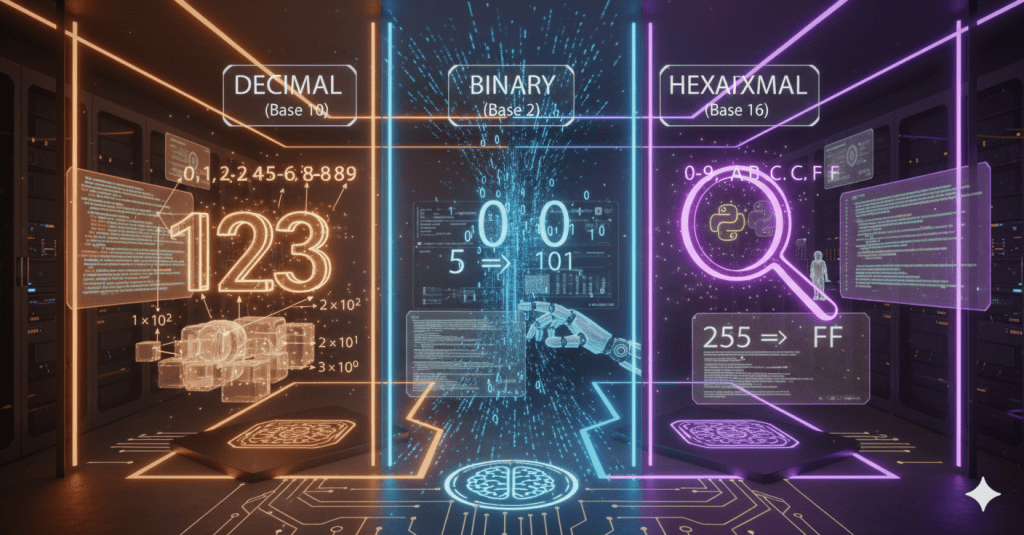
You’re used to counting with ten digits: 0, 1, 2, 3, 4, 5, 6, 7, 8, 9. We call this the decimal system (or base 10) because we have ten symbols to work with.
But computers don’t use ten digits. They use two: 0 and 1. This is called the binary system (or base 2).
Why Only 0 and 1?
Because at the hardware level, computers are made of millions of tiny switches. Each switch is either off (0) or on (1). That’s it. The computer’s entire brain is just switches turning on and off.
Think of it like a light switch. It’s either off or on. There’s no “halfway” or “a little bit.” Computers work the same way, but with billions of these switches working together.
How Binary Actually Works
In decimal, each position in a number represents a power of 10:
- The number 345 means: 3 hundreds (3 × 100) + 4 tens (4 × 10) + 5 ones (5 × 1)
In binary, each position represents a power of 2:
- The number 101 in binary means: 1 four (1 × 4) + 0 twos (0 × 2) + 1 one (1 × 1) = 5 in decimal
So when you see “101” in binary, it equals “5” in our normal counting system.
You don’t need to memorize this. Just understand that computers use a different number system because of how they’re built. It’s not trying to be confusing—it’s actually the simplest system for how computer hardware works.
What About Hexadecimal?
There’s one more number system programmers use: hexadecimal (or base 16). Instead of ten digits, it uses sixteen symbols: 0-9 and then A, B, C, D, E, F.
Wait, letters as numbers? Yep:
- A = 10
- B = 11
- C = 12
- D = 13
- E = 14
- F = 15
Why would anyone use this? Because it’s a super compact way to represent binary numbers. Instead of writing 1111 in binary, you can just write F in hexadecimal. Same value, way shorter.
Programmers use hexadecimal when they need to read or write machine code because it’s easier on the eyes than long strings of 0s and 1s.
Here’s a quick comparison:
| Binary | Decimal | Hexadecimal |
|---|---|---|
| 0000 | 0 | 0 |
| 0001 | 1 | 1 |
| 0101 | 5 | 5 |
| 1010 | 10 | A |
| 1111 | 15 | F |
You’ll encounter hexadecimal occasionally in programming (especially in colors for websites—like #FF0000 for red), but you don’t need to master it right now.
What Are Bits and Bytes?
Time to explain some basic computer terminology you’ll hear everywhere.
Bits: The Smallest Unit
A bit is a single binary digit. It’s either 0 or 1. That’s it. One switch, either off or on.
A bit is the smallest unit of information a computer can work with. Everything in a computer—your photos, your games, your messages—is ultimately just millions and millions of bits (0s and 1s) organized in clever ways.
Bytes: Grouping Bits Together
A byte is a group of eight bits. Why eight? Because eight bits can represent 256 different values (from 0 to 255), which happens to be just enough to represent every letter, number, and symbol on a keyboard.
For example:
- The letter ‘A’ is stored as one byte: 01000001
- The number 5 is stored as one byte: 00000101
- A space character is stored as one byte: 00100000
When you see file sizes measured in “megabytes” or “gigabytes,” they’re talking about millions or billions of bytes.

Memory and Computer Architecture
Different computers can handle different amounts of information at once. This is measured in bits:
- 8-bit computers (old computers from the 1980s): Could only work with 256 different memory locations at once
- 16-bit computers: Could handle 65,536 locations
- 32-bit computers: Could handle about 4 billion locations
- 64-bit computers (modern computers): Can handle… a ridiculously huge number (over 18 quintillion)
What does this mean for you? Not much right now. Just know that modern computers are 64-bit, which means they can handle way more memory and bigger numbers than older computers could.
When you install programs and see “64-bit version” or “32-bit version,” this is what they’re talking about. Always pick 64-bit if your computer supports it (and it almost certainly does).
Wrapping Up
So here’s what we covered:
Programming isn’t about memorizing code—it’s about learning to think in steps and solve problems logically. Computer programs are just recipes that tell computers what to do, one instruction at a time.
We write code in human-friendly languages (high-level languages like Python or JavaScript), but computers only understand machine language (0s and 1s). Compilers or interpreters translate our code into machine language so computers can run it.
And here’s something exciting: AI language models like ChatGPT and Claude represent the highest level of programming language yet—actual human language. You can now give computers instructions using plain English prompts instead of learning special programming syntax. This doesn’t replace traditional programming, but it’s opening new doors for how humans and computers communicate.
There are different styles or paradigms for writing code. Imperative programming means giving step-by-step instructions. Declarative programming means describing what you want and letting the computer figure out how.
Computers use binary (0s and 1s) because they’re built from millions of tiny switches that are either off or on. Programmers sometimes use hexadecimal as a shorter way to write binary numbers.
Bits are single binary digits (0 or 1). Bytes are groups of eight bits. Everything in a computer is ultimately just bits and bytes—millions of 0s and 1s organized in clever ways.
The biggest takeaway? Don’t stress about memorizing all this technical stuff. You’ll learn it naturally as you start coding. The important part is understanding that computers are literal, logical machines that follow instructions exactly as given. Whether you’re writing traditional code or prompting an AI, you’re learning to think clearly and communicate precisely. Once you get comfortable with that mindset, everything else will click into place.
Ready for the next step? Let’s move on to data types and structures—basically, the different kinds of information your programs can work with.
Leave a Reply